sketch.AR
AR projection of images onto paper for tracing
Transform any image into a traceable AR projection. Perfect for artists, designers, and anyone who wants to improve their drawing skills by tracing over reference images.
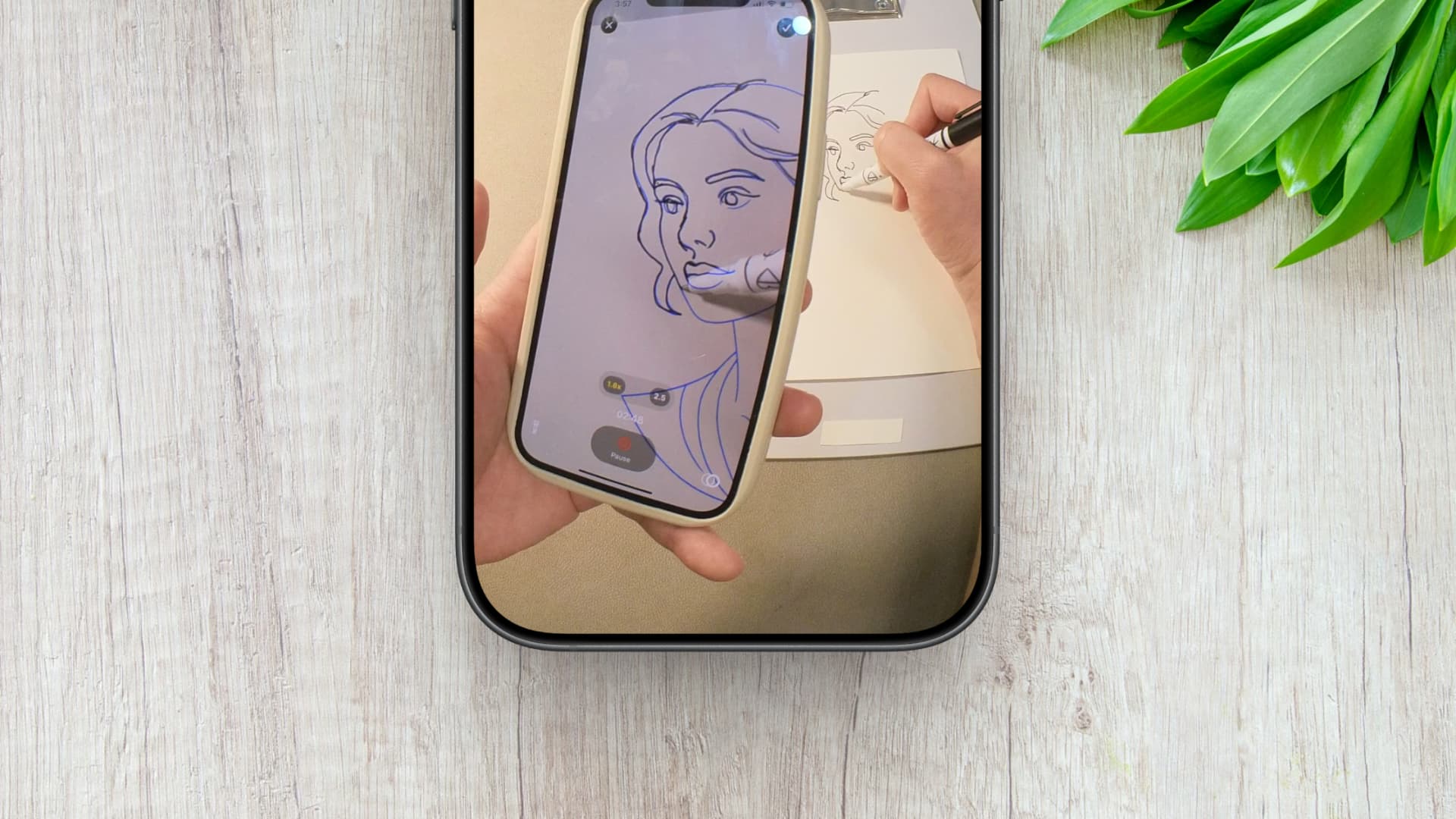
Trace photos for drawing practice
Copy designs onto paper or canvas
Learn proportions by tracing over reference images
AR image projection with adjustable opacity
Support for photos and digital images
Easy-to-use camera alignment
Do I need a special phone stand or mount to use sketch.AR?
Can I import my own custom artwork or photos into sketch.AR?
Why I Built sketch.AR (And Why I Couldn’t Justify Paying $70/Year for Sketchar Anymore)
Frustrated by expensive, bloated AR drawing apps, I built sketch.AR—a clean, utility-first tracing tool for just $3.99/year. Here is how and why I did it.
How to use sketch.AR for tracing photos
Learn how to transform any photo into a traceable AR projection with sketch.AR. Perfect for artists and beginners looking to improve their drawing skills.