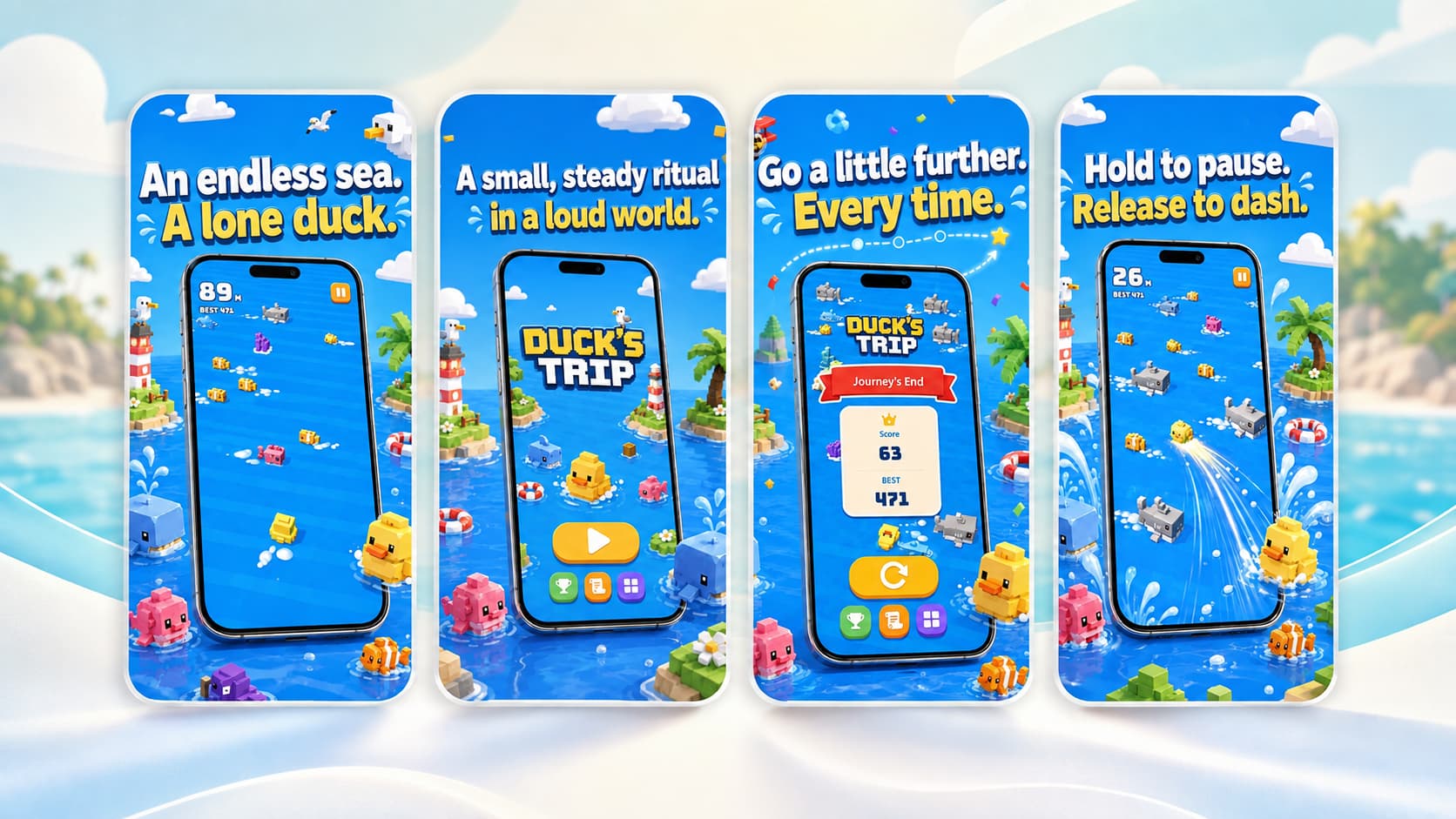
I just published a complete remake of my indie mobile game, Duck’s Trip.
The last time I updated this game was on April 17, 2018. It’s hard to believe that eight full years have passed since then. My career focus moved away from game development a long time ago, and I have no plans to build new commercial games. So why spend the effort to completely rebuild a tiny casual game like this?
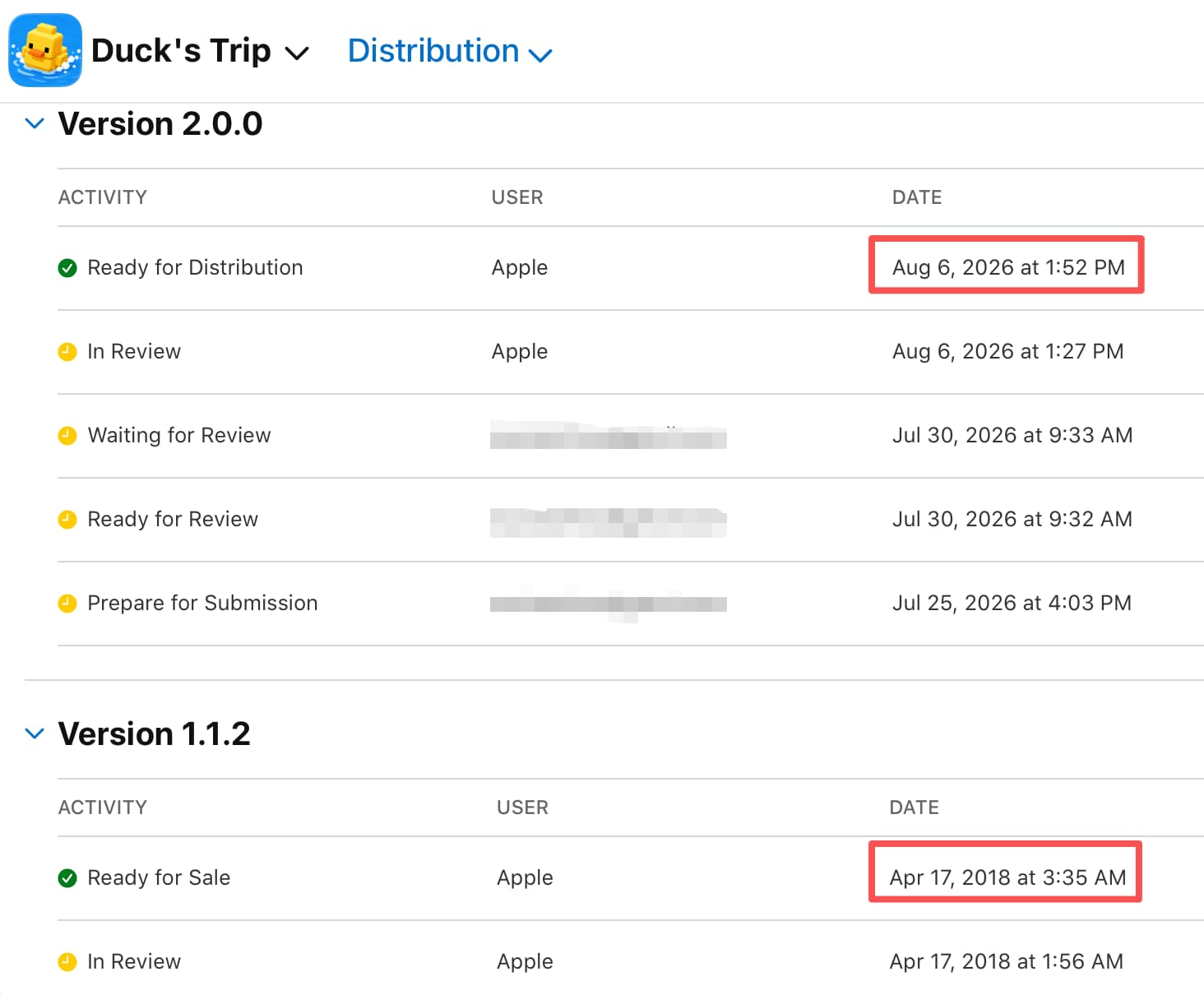
The answer came down to a simple, persistent metric: people were still downloading it every single day. While it’s only around ten to fifteen daily downloads, over eight years, that adds up to a meaningful and dedicated baseline of players.
1. The Three Motivations Behind the Remake
Looking at this continuous trickle of traffic, I realized I had three distinct goals for revisiting the project:
- Redirect a little traffic: I wanted to drop a link to an app showcase site inside the game, so the small trickle of players could discover other things I’ve built.
- I was ugly: The original art was rough — a byproduct of being a solo hobby project years ago. If it’s still live and downloadable, I’d rather it not embarrass me.
- Curiosity about AI-assisted development: I wanted to see how far AI tooling has come, especially for things I was never good at myself — 3D modeling in Blender being a good example.
2. Ditching Unity for Godot
Eight years ago, Duck’s Trip was built in Unity. Unsurprisingly, modern versions of Unity couldn’t open the legacy source code out of the box. That wasn’t a real blocker—it only took three prompts with Claude to patch the project files until it loaded.
The real problem was developer friction and bloat:
- Opening Unity Hub took 5 excruciating minutes.
- Switching between editor tabs lagged by 5 seconds.
On a three-year-old high-spec MacBook Pro, running such a small arcade game inside Unity felt absurdly heavy.
By contrast, Godot Engine came in as a tiny 140MB download and launched in under 2 seconds. The choice was instant: ditch Unity entirely and rebuild from scratch in Godot. Since the core gameplay mechanics are simple, throwaway legacy code didn’t matter—a clean rebuild was much faster.
3. The AI-First Engine Setup: Godot & Blender MCP
Because Godot is an open-source editor, modern AI tools can understand and interact with its engine structure far more effectively. To set up an AI-driven dev environment, I leveraged Model Context Protocol (MCP) integrations for both the engine and 3D modeling tools:
- Godot MCP: ChatGPT recommended
hi-godot/godot-aiover the higher-starredCoding-Solo/godot-mcp. The rationale was clear:godot-aiprovides deep, active engine control and active maintenance, whereas the alternative only offers basic operations despite ranking higher in Google search results. - Blender MCP: I opted for the official implementation at
blender.org/lab/mcp-serverrather than community forks. Grok pointed out that the official server offers better security and compatibility. The setup required runningbrew install llama.cpp(though I skipped downloading local heavy AI models to save disk space).
With this setup established, I began the rebuild. Within just one week, the project was complete. The remastered game features completely new 3D Low Poly and Voxel assets, revamped UI, and 100% newly written code—without me writing a single line of code by hand.
4. Plugins, AdMob Compliance, and App Store Lessons
Selecting third-party plugins for a mobile game requires balancing functionality with bundle size and store policy compliance. Two key plugins defined the build:
AdMob Policy Auditing
I used poingstudios/godot-admob-plugin. One unexpected benefit was the plugin’s built-in guidance on AdMob compliance rules.
For high-focus action genres like arcade runners or shooters, showing banner ads during active gameplay disrupts user experience and violates ad placement policies. To keep the gameplay clean and avoid policy strikes, I configured banners to appear only on the Game Over screen.
This compliance check was invaluable. Years ago, two of my small apps were taken down, and my Google Play Developer account was eventually closed due to inactivity (and with Google now requiring 20 mandatory testers for new developer accounts, returning to Play Store wasn’t practical). The plugin’s built-in compliance checks helped me avoid similar pitfalls on iOS.
Apple Game Center Integration
For leaderboards, I integrated migueldeicaza/GodotApplePlugins to handle Game Center functionality.
The Overhead Trade-Off
While both plugins work seamlessly, adding them introduced noticeable binary bloat:
- AdMob Plugin: +30MB to the exported build.
- Game Center Plugin: +10MB to the exported build.
While I dislike seeing a small game balloon with 40MB of non-game overhead, accepting it as an experimental benchmark was worth the trade-off.
5. Size Optimization Tip: Font Subsetting with pyftsubset
A major issue when shipping multi-language mobile games is international character rendering. On physical iOS devices, non-Latin characters can render as raw Unicode hex boxes if the font lacks proper glyph coverage. However, bundling a separate font file for every localization isn’t realistic — full font files easily run 5MB or more each.
To solve this cleanly without sacrificing localizations, I used pyftsubset (part of the fonttools library):
- Extracted only the exact characters used in the game’s localized text strings.
- Merged these glyphs into a single custom
.ttffile using open-source fonts from Google Fonts.
The result? A single 97KB font file that supports all target languages seamlessly, replacing megabytes of redundant font files. For casual games with limited text strings, custom font subsetting is an insanely efficient solution.
6. Final Thoughts & Download Link
Revisiting an eight-year-old 3D project through modern AI tools and lightweight engines like Godot was a fantastic experience. It proved that legacy indie projects can be completely modernized with fresh Low Poly and Voxel aesthetics in a fraction of the time.
- Try the game on iOS: Download Duck’s Trip on the App Store